District of Columbia 1099-NEC E-File Details
- The District of Columbia (DC) Office of Tax and Revenue (OTR) will no longer accept CDs or any other media for filing the 1099/W-2G.
- You must use the bulk upload or online data entry via OTR’s tax portal.
- Filers are not required to submit test files.
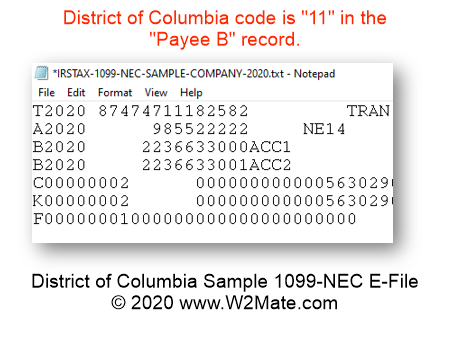
- The file format must conform to the specifications found in Part C (Record Format Specifications and Record Layouts) of Publication 1220.
- PDFs will not be accepted.
- State tax ID formatting: 3000000123456 or 300100123456 [must start with 300000 or 300100].
- Before E-Filing with District of Columbia, you need to enter data inside our software. 1099-NEC records can be typed manually or imported from Excel spreadsheet, QuickBooks, Sage 50, Dynamics GP and other accounting sources.
In addition to District of Columbia, we also offer 1099-NEC e-File for the following states: Arizona, Arkansas, Delaware, Georgia, Indiana, Iowa, Kansas, Kentucky, Maryland, Massachusetts, Mississippi, Missouri, Nebraska, New Jersey, North Carolina, Oklahoma, Oregon, Vermont, Virginia, West Virginia, and Wisconsin.