West Virginia 1099-NEC E-File Details
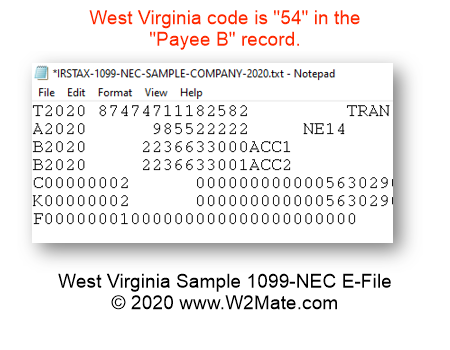
- All files submitted to the state of West Virginia must be in text (txt) format.
- All files must contain record delimiters.
- Character set must be ASCII.
- All non-numeric data must be uppercase.
- All records must be 750 bytes in length.
- "C" record positions 508-748 are specific to WV for transmission of the IT-103 reconciliation.
- 1099-NEC submissions must be uploaded via MyTaxes secure website.
- If there are errors detected, you will be unable to proceed until they are resolved.
- Any corrections needed must be made within the actual 1099 e-file, not on screen.
- State tax ID formatting: 1234-1234.
- Before E-Filing with West Virginia, you need to enter data inside our software. 1099-NEC records can be typed manually or imported from Excel spreadsheet, QuickBooks, Sage 50, Dynamics GP and other accounting sources.
In addition to West Virginia, we also offer 1099-NEC e-File for the following states: Arizona, Arkansas, Delaware, District of Columbia, Georgia, Indiana, Iowa, Kansas, Kentucky, Maryland, Massachusetts, Mississippi, Missouri, Nebraska, New Jersey, North Carolina, Oklahoma, Oregon, Vermont, Virginia, and Wisconsin.